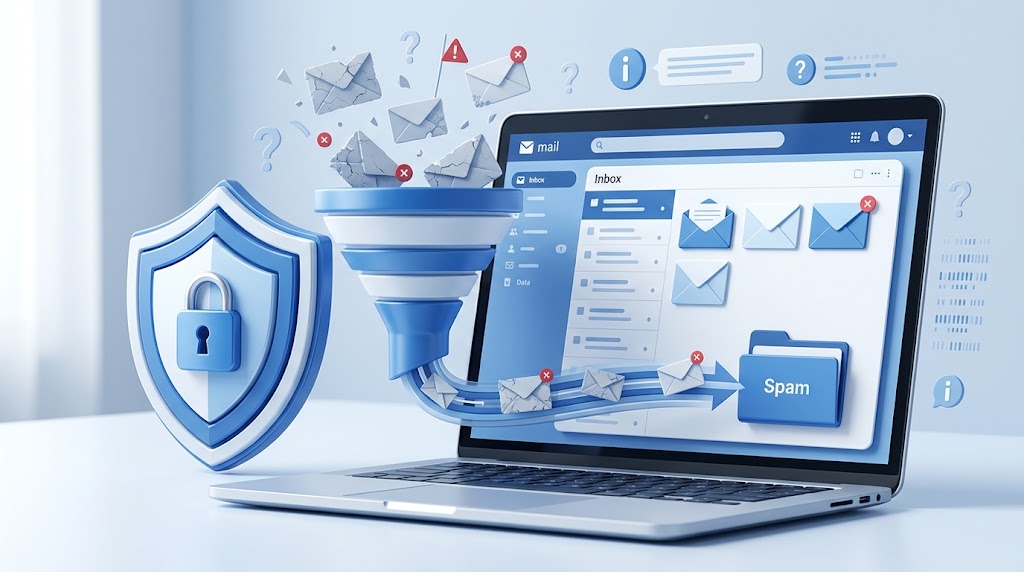
Most people do not need to change their email address to get spam under control. The bigger issue is usually a backlog of small habits — every newsletter signup, every discount code claimed, every account created for a tool used once — that quietly adds up over months and years. Fixing it is less about one dramatic action and more about a handful of small, repeatable habits that prevent the backlog from growing while you clean up what is already there.
Start by understanding where the spam is actually coming from
Before unsubscribing from everything in sight, it helps to separate spam into a few different categories, because the right response differs for each. There is legitimate marketing email from companies you willingly signed up with, which is technically not spam and can usually be stopped with a simple unsubscribe link. There is email from data brokers or list sellers who obtained your address without a direct relationship, which often has no honest unsubscribe option. And there is outright malicious spam and phishing, which should never be interacted with at all, including its unsubscribe links.
Mixing these categories together leads to bad advice, like clicking every unsubscribe link indiscriminately, which can actually confirm to a bad actor that your address is active and monitored. Knowing which bucket a given message falls into changes what the right next step is.
Unsubscribe from legitimate senders first
For newsletters, promotional emails, and other lists you recognize signing up for, the unsubscribe link at the bottom of the message is usually genuine and reliable, particularly for established companies operating under data protection regulations that require honoring unsubscribe requests. This is the lowest-effort, highest-impact step for most people's inboxes, since a large share of daily "spam" is actually legitimate marketing from services signed up for months or years ago and forgotten.
Set aside twenty or thirty minutes and work through your inbox systematically, unsubscribing from anything you do not actively want to hear from. It will not fix everything, but it typically removes the single largest and easiest-to-address source of unwanted email.
Use filters and rules to handle the rest
Most email providers offer built-in filtering tools that can automatically archive, label, or delete messages matching certain criteria — a specific sender, a subject line pattern, or a keyword that shows up repeatedly in unwanted mail. Setting up a handful of targeted filters for the senders you cannot fully unsubscribe from (or do not want to bother unsubscribing from individually) can meaningfully reduce what actually lands in your primary inbox view, even if the messages are technically still being delivered.
Stop new spam before it starts
Unsubscribing and filtering address the backlog, but they do not stop new spam sources from appearing. This is where changing a few habits going forward makes a real difference. The most effective single change is being deliberate about when you use your real email address versus a disposable one.
- Use a disposable address for one-time discount codes, downloads, and contest entries
- Use a disposable address to test signup forms or try tools you are only evaluating
- Reserve your real email for accounts you actually intend to keep long-term
- Read the fine print on pre-checked "sign me up for offers" boxes during checkout
- Avoid entering your real email into pop-ups offering a small discount for signing up
Each new sign-up is a decision point. Treating it that way — rather than defaulting to your real address out of habit — prevents a meaningful share of future spam before it ever starts.
Consider an email alias for ongoing accounts
For accounts you want to keep long-term but would still prefer to isolate from your main inbox, an email alias is a useful middle ground between your real address and a fully disposable one. An alias forwards mail into your primary inbox while masking your actual address, and it can typically be disabled or deleted later if a particular source starts generating too much unwanted mail, without affecting your main account.
Be cautious with unsubscribe links from unknown senders
Unlike legitimate marketing email, messages from unfamiliar senders — particularly ones you have no memory of signing up with — may use an "unsubscribe" link as a way to confirm that your address is active and read regularly. Clicking it does not remove you from a list; it can actually increase how much spam you receive, because it flags your address as a real, monitored inbox worth targeting further. For these messages, marking them as spam directly within your email client (rather than clicking anything inside the message) is the safer option.
Report phishing and malicious email separately
Messages attempting to impersonate a bank, delivery service, or well-known company to steal login credentials or payment information fall into a different category entirely and should never be interacted with beyond reporting them. Most email providers have a built-in "report phishing" option distinct from the standard spam button, which helps improve filtering for future messages of the same type.
Review connected apps and third-party access
Sometimes spam originates not from a sign-up form but from a third-party app or service that was granted access to your contacts or account at some point in the past. Periodically reviewing which apps have access to your email account or contact list, and revoking access for anything you no longer use, can eliminate a source of unwanted email that filtering alone will not fully address.
Dealing with spam on a shared or work email address
Spam on a work or shared email address requires a slightly different approach than a personal inbox, since you may not have full control over filtering settings or the ability to unsubscribe from lists tied to a company-wide subscription. In these cases, working with your organization's IT or email administrator to apply broader filtering rules, or reporting persistent spam through official channels, is usually more effective than attempting individual fixes on an account you do not fully control.
The role of your email provider's reputation system
Modern email providers use large-scale reputation systems that track which senders generate spam complaints across millions of users, not just your own inbox. Reporting spam through the proper "report spam" button, rather than simply deleting unwanted messages, actively contributes to this system and can reduce how much similar mail reaches you and others over time. This is a small action, but at scale it meaningfully improves filtering accuracy for everyone using the same provider.
Building this into a lasting routine
None of these steps require ongoing effort once the initial cleanup is done. The unsubscribe pass and connected-app review are largely one-time tasks; from there, the main habit to maintain is being deliberate about which sign-ups get your real email address and which ones get a temporary one. That single decision, repeated consistently, does more to keep an inbox clean over the long run than any one-time cleanup effort on its own.
Handling spam on a shared family or household email address
Household or family email accounts that multiple people use for shared subscriptions, deliveries, or shared shopping accounts tend to accumulate spam faster than a purely personal address, simply because more people are making sign-up decisions using the same inbox. Establishing a simple shared rule — such as always using a disposable address for one-time sign-ups made on the shared account, and reserving the shared real address only for services the household actually intends to keep — can meaningfully slow the accumulation of unwanted mail on an account that is harder for any one person to fully control.
Revisiting your cleanup periodically
Even after an initial unsubscribe pass and filter setup, new senders will gradually reappear over time as you sign up for new services. Setting a recurring reminder every few months to briefly repeat the unsubscribe and filter-review process keeps the inbox from slowly drifting back toward its previous state, without requiring the more time-consuming full cleanup effort each time.
Automating the habit with browser tools
For people who find it easy to forget the disposable-versus-real decision in the moment, some browser extensions and password managers now offer built-in prompts to generate a masked or temporary address directly within a signup form, removing the extra step of opening a separate tab. While not strictly necessary, this kind of light automation can help the habit stick for people who otherwise default to typing their real address out of pure convenience.
Frequently asked questions
Is it ever safe to click "unsubscribe" on a spam email?
Only for senders you recognize and originally signed up with. For unfamiliar or suspicious senders, marking the message as spam directly is safer than clicking any link inside it.
Will using a disposable email address stop spam I'm already receiving?
No — a disposable address only prevents future sign-ups from adding to the problem. Existing spam needs to be addressed through unsubscribing, filtering, or blocking the relevant senders.
Do I need to change my main email address to fix a serious spam problem?
Rarely. A combination of unsubscribing, filtering, reporting phishing separately, and using disposable addresses for future low-stakes sign-ups usually resolves the issue without requiring a full address change.